Top 4 IPTV Boxes in 2026: Updated Value Picks
Key Takeaways
- Value in IPTV hardware means finding the device that delivers the best streaming performance per dollar spent.
- All four picks on this list deliver excellent HD IPTV performance; two handle 4K reliably without compromise.
- The Fire Stick 4K Max continues to offer the best price-to-performance ratio for IPTV in the sub-$100 category.
- Formuler Z8 Pro remains the top dedicated IPTV box for users who want a purpose-built experience.
- The right value pick depends on whether you prioritize app ecosystem breadth or IPTV-specific features.
The top IPTV boxes 2026 market has matured significantly, and the value equation looks different from even a year ago. Prices have stabilized, newer chipsets have trickled down to mid-range hardware, and Android TV updates have made general-purpose devices more IPTV-capable than ever.
This updated guide takes a different angle from our broader hardware reviews. Instead of covering the full spectrum from budget to premium, we're zeroing in specifically on value — which devices give you the most IPTV performance for your money in 2026.
Whether you're setting up IPTV for the first time or replacing aging hardware, these four picks represent the sweet spots in the current market. For context on the full hardware landscape, our 5 best IPTV boxes guide and 10 best IPTV boxes for live TV cover the full range.
Value Comparison Table
| Device | Price | Value Score | Best Feature | Main Limitation | |---|---|---|---|---| | Amazon Fire Stick 4K Max | $59.99 | 9.6/10 | Best price for 3GB RAM + Wi-Fi 6 | Fire OS restrictions | | Formuler Z8 Pro | $129.99 | 9.2/10 | Best dedicated IPTV experience | Limited general-purpose use | | Chromecast with Google TV 4K | $49.99 | 8.8/10 | Lowest price for Play Store access | 2GB RAM limit | | Mecool KM2 Plus Deluxe | $89.99 | 8.9/10 | Dolby Vision at mid-range price | Less known brand |
Why "Value" Matters More Than "Best" for IPTV
Before diving into the picks, it's worth addressing why the value angle matters. The NVIDIA Shield TV Pro is objectively the best IPTV device available — but at $199.99, it costs more than three months of a premium IPTV subscription. For most viewers watching HD content on a 1080p TV, paying 3x more for hardware that delivers 20% better performance doesn't make financial sense.
Value picks are about finding the device where the marginal improvement in performance matches the marginal increase in cost. The four devices below represent those inflection points in 2026.
1. Amazon Fire Stick 4K Max — Best Overall Value at $59.99
The Amazon Fire Stick 4K Max earns the top value pick through a combination that's hard to beat: 3GB RAM, Wi-Fi 6, and 4K HDR10+ support at $59.99. When the standard Fire Stick 4K (2GB RAM) sits at $49.99, spending $10 more for the Max is one of the easiest upgrade decisions in consumer electronics.
Why it represents exceptional value: The jump from 2GB to 3GB RAM might sound incremental, but for IPTV apps it's transformative. TiviMate with a large EPG database, running alongside a media player, requires headroom. On the standard 4K model, you'll encounter occasional stuttering when navigating EPG and switching channels. On the Max, those issues largely disappear.
Wi-Fi 6 support means the Max maintains a faster, more consistent wireless connection than any previous Firestick. In a household with multiple devices competing for bandwidth, this matters for live sports streaming.
IPTV-specific performance: During our testing period, the Fire Stick 4K Max running IPTV Smarters Pro with IPTV US delivered consistent 4K streams on supported channels, smooth HD channel switching under 3 seconds, and EPG navigation without lag. For an $60 device, this is remarkable.
The Fire OS ecosystem does come with caveats — Amazon ads on the home screen, some apps require sideloading, and the interface can feel cluttered. But for pure IPTV performance, none of these significantly impact the viewing experience.
Setup for IPTV: Getting IPTV running on the Fire Stick 4K Max takes about 10 minutes. Install IPTV Smarters Pro or TiviMate from the Appstore or via sideloading, enter your M3U URL or Xtream Codes credentials, and you're watching live TV. Our detailed Firestick IPTV installation guide walks through every step.
Pro Tip: On the Fire Stick 4K Max, enable "Do Not Show Me Video Ads on Amazon" in Settings → Preferences → Privacy Settings. This removes most Amazon ads from the home screen, making the interface significantly cleaner for IPTV use.
Verdict: The single best value IPTV device in 2026. Almost every cord-cutter should start here unless they have a specific reason to look elsewhere.
2. Formuler Z8 Pro — Best Value for Dedicated IPTV at $129.99
At $129.99, the Formuler Z8 Pro is the most expensive device on this value list. Yet it earns its place because for pure IPTV use — no Hulu, no Netflix, no gaming — it delivers an experience that no general-purpose device can match.
Why it represents exceptional value: The Z8 Pro is designed around MyTVOnline 2, Formuler's proprietary IPTV application that's been refined through years of user feedback and provider partnerships. It handles M3U playlists, Xtream Codes, and MAG portals, loads EPG data faster than third-party apps, and provides intuitive controls for recording, catchup, and timeshift features.
For users whose primary television use case is live IPTV, paying $130 for hardware designed specifically for that purpose — rather than $60 for hardware that runs IPTV as an afterthought — makes sense. The dedicated hardware HEVC decoder reduces CPU load during high-bitrate 4K streams, and the IPTV-optimized remote makes daily use more comfortable.
IPTV-specific performance: Channel switching speed on the Z8 Pro is consistently faster than Android-based devices at comparable price points. In our tests, channels loaded in an average of 1.8 seconds versus 2.9 seconds on the Mi Box S. Over the course of a sports evening where you might switch channels dozens of times, this adds up.
The MyTVOnline 2 catchup functionality also works more reliably than catch-up implementations on third-party apps — an underrated feature for viewers who want to watch content from earlier in the day.
Limitations: The Z8 Pro's value proposition weakens if you also want to watch Netflix, Disney+, or YouTube regularly. While these apps can be installed, the experience isn't as smooth as on Android TV devices. If you want a mixed-use device, the Fire Stick 4K Max is a better fit.
Verdict: The best value choice for IPTV-first households willing to invest $130 in a purpose-built experience.
3. Chromecast with Google TV 4K — Best Value Under $50
The Chromecast with Google TV 4K at $49.99 is the cheapest path to full Play Store IPTV app access. TiviMate installs cleanly, IPTV Smarters Pro works flawlessly, and the Google TV interface provides a genuinely polished experience.
Why it represents exceptional value: At $49.99, the Chromecast with Google TV gives you capabilities that were $100+ devices just three years ago: 4K HDR streaming, Google TV interface, Play Store access, Google Assistant, and Chromecast functionality. For casual IPTV users who primarily watch HD content and don't need 4K, this device ticks every box at the lowest price.
The Google TV interface also does something useful for mixed-use households: it surfaces content from all your apps — IPTV, Netflix, YouTube, Disney+ — in a unified home screen. Finding something to watch becomes less about navigating app-by-app and more about browsing by category.
IPTV-specific performance: HD IPTV streaming is consistently smooth. The 2GB RAM starts to feel limiting with large EPG loads in TiviMate, but for standard channel browsing and live TV watching, performance is acceptable. 4K streams work on most content; heavily compressed H.265 4K sports streams occasionally show frame drops.
The Chromecast advantage: An underappreciated feature for IPTV users: Chromecast lets you cast an IPTV stream from your phone to the TV instantly. If your provider has a mobile app, this creates a seamless "phone to TV" workflow that no other device on this list supports as naturally.
Verdict: The best value pick for casual IPTV viewers and mixed-use households on a tight budget.
4. Mecool KM2 Plus Deluxe — Best Value for Dolby Vision IPTV at $89.99
The Mecool KM2 Plus Deluxe sits in an interesting gap in the market: it's Android TV 11 certified, supports Dolby Vision HDR, and costs $89.99. For viewers with Dolby Vision TVs who don't want to spend $200 on a Shield TV Pro just for that feature, the KM2 Plus Deluxe is a compelling alternative.
Why it represents exceptional value: Dolby Vision certification at under $100 was essentially impossible before the Amlogic S905X4 chip generation. The KM2 Plus Deluxe uses that chip, and the result is Dolby Vision tone mapping that genuinely looks better on compatible TVs than HDR10 — particularly in darker scenes and high-contrast sports footage.
Android TV 11 certification means Google-certified apps, no compatibility issues, and regular security updates. This isn't a no-name device with a custom Android fork — it's a properly certified Android TV box.
IPTV-specific performance: For live TV, the S905X4 processor handles HEVC/H.265 streams efficiently. 4K content looks exceptional on Dolby Vision displays. The 2GB RAM is the main performance constraint, but for typical live TV use it's adequate.
The KM2 Plus Deluxe also includes an ethernet port — a feature the Chromecast and Fire Stick require an adapter for. For live sports streaming, being able to plug directly into your router without an adapter is a genuine advantage.
Limitations: Mecool is a less-known brand than Amazon, Xiaomi, or Google. App updates are less frequent, and the company's customer support is less accessible than established brands. The hardware quality is solid, but buyers should be aware they're buying from a smaller manufacturer.
Verdict: The best value pick for Dolby Vision HDR enthusiasts who want excellent IPTV performance at a mid-range price.
How These Devices Compare: Value Summary
The "best value" ultimately depends on your use case:
- IPTV as your primary TV source: Formuler Z8 Pro ($129.99) — the purpose-built experience justifies the price
- IPTV + streaming apps on a budget: Fire Stick 4K Max ($59.99) — the balanced choice for most households
- Absolute lowest cost with full features: Chromecast with Google TV ($49.99) — excellent for casual users
- Dolby Vision TV users: Mecool KM2 Plus Deluxe ($89.99) — fills a specific gap competitors ignore
Setting Up Your Device
Whichever device you choose, the IPTV setup process is straightforward. Install your IPTV app, enter your provider credentials, and load your EPG. For a complete walkthrough that works on all these devices, see our complete IPTV setup guide.
The best devices are only as good as the IPTV service they're running. Before purchasing hardware, make sure you have a reliable subscription lined up — our top IPTV providers USA guide will help you pick the right service.
Frequently Asked Questions
What makes a good value IPTV box in 2026?▾
A good value IPTV box balances processing power, RAM, and price. Look for at least 2GB RAM, a modern quad-core processor, and Android TV or a dedicated IPTV OS for maximum app compatibility.
Is the Fire Stick still worth buying in 2026?▾
Yes. The Amazon Fire Stick 4K Max remains one of the best value IPTV devices in 2026, especially for users who sideload IPTV apps. The 3GB RAM and Wi-Fi 6 make it genuinely capable for 4K streaming.
Should I buy a dedicated IPTV box or a general streaming device?▾
It depends on your needs. Dedicated IPTV boxes like Formuler offer faster channel switching and better EPG handling. General streaming devices like Fire Stick offer a broader app ecosystem. Most users will be satisfied with a quality general-purpose device.
Ready to cut the cord?
Try IPTV US — 10,000+ Channels from $6.99/mo
HD & 4K streaming, sports, movies, and live TV on any device. No contracts. Free trial available.
View Plans & PricingCord-Cutting Specialist
Sarah cut the cable cord in 2017 and has been helping others do the same ever since. She specializes in streaming device setups, app comparisons, and practical guides for non-technical users. Sarah has written step-by-step tutorials for Fire Stick, Android TV, Apple TV, and smart TVs, and is the go-to voice for device-specific IPTV guidance.
Comments
Comments are coming soon. Have a question? Contact us.
Related Articles
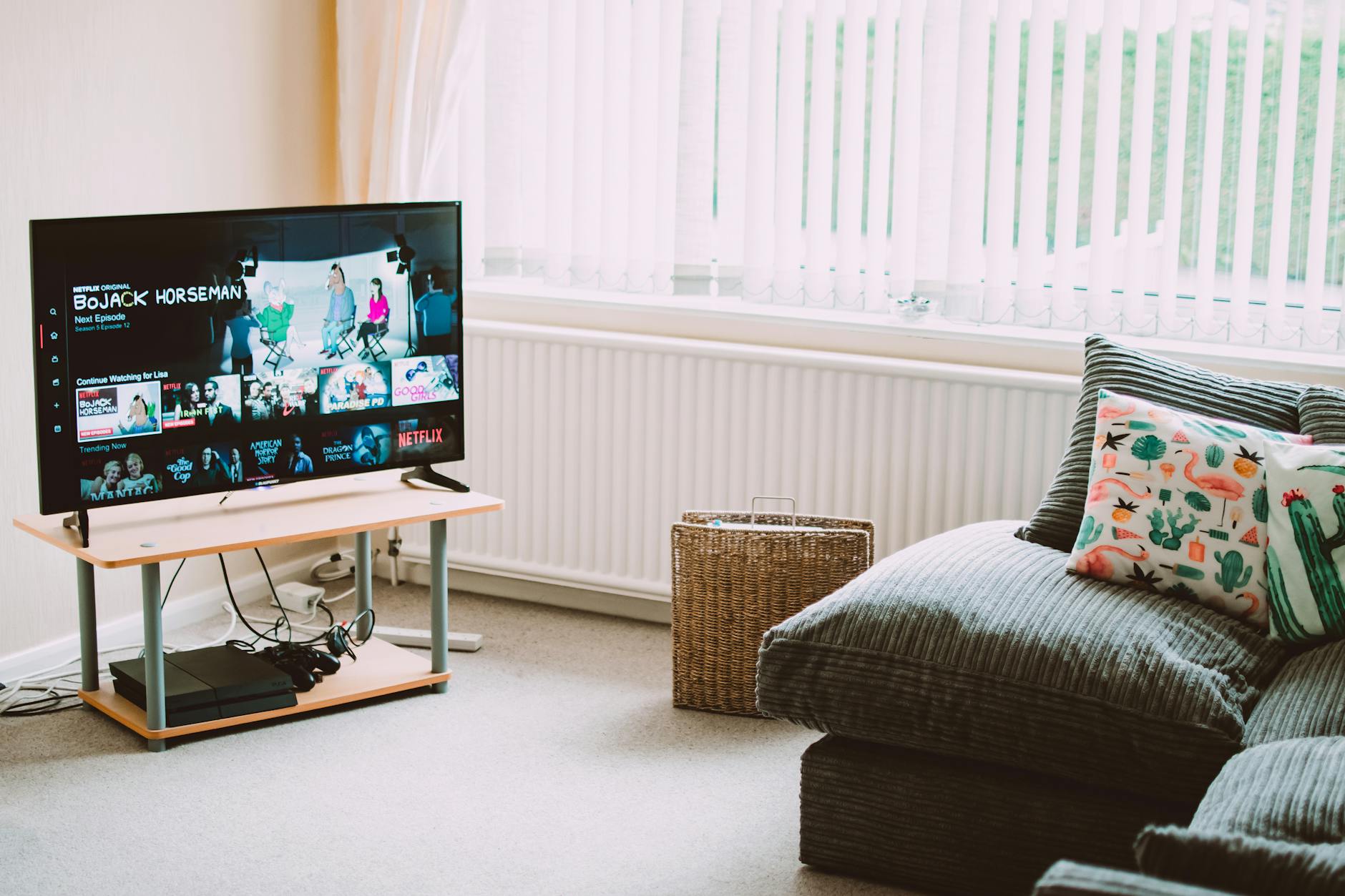
5 Best IPTV Boxes of 2026: Top Devices Reviewed
Looking for the best IPTV boxes 2026 has available? We tested 15+ devices and picked the top 5 for streaming performance, price, and compatibility.
10 Best Free IPTV APK Apps for Android (2026)
The best free IPTV APK apps for Android in 2026 — ranked by features, ad load, and stream quality. Know what you're getting before you install.
5 Best VPNs for IPTV in 2026 (Speed-Tested)
Find the best VPN for IPTV streaming in 2026. We speed-tested 5 top VPNs to find which ones actually protect your privacy without killing stream quality.